Stop Managing Projects
From a Spreadsheet
One platform for permits, reviews, invoicing, and collaboration.
Built for planning teams managing clients, deadlines, and approvals.
10+
Integrated Tools
15+
Agency Trackers
0
Paper Forms
24/7
Cloud Access
Trusted by planning professionals across the country
“UrbanPlanning.app replaced our spreadsheet tracker for 30+ active permits. I stopped using three different apps the first week.”
Senior Planner
Southern California Municipality
“My clients check their own status instead of calling me five times a week. The portal paid for itself in the first month.”
Planning Consultant
Los Angeles, Private Practice
“The plan check tracker alone saved us 10 hours per week of follow-up emails across 15 concurrent applications.”
Permit Expeditor
Bay Area Development Services
Before vs. after UrbanPlanning.app
Before
After
Everything your team needs, from intake to approval
One workspace for permits, reviews, invoicing, and collaboration. No more switching between tools, chasing emails, or printing forms.
Project Tracking
Monitor every project from intake to closeout. Real-time status updates, milestones, and deadline alerts in a single view.
Environmental Review
Streamline CEQA/NEPA compliance with automated checklists, document versioning, and agency routing built in.
Plan Check Manager
Assign reviewers, track correction cycles, set turnaround SLAs, and keep applicants informed automatically.
Invoicing & Payments
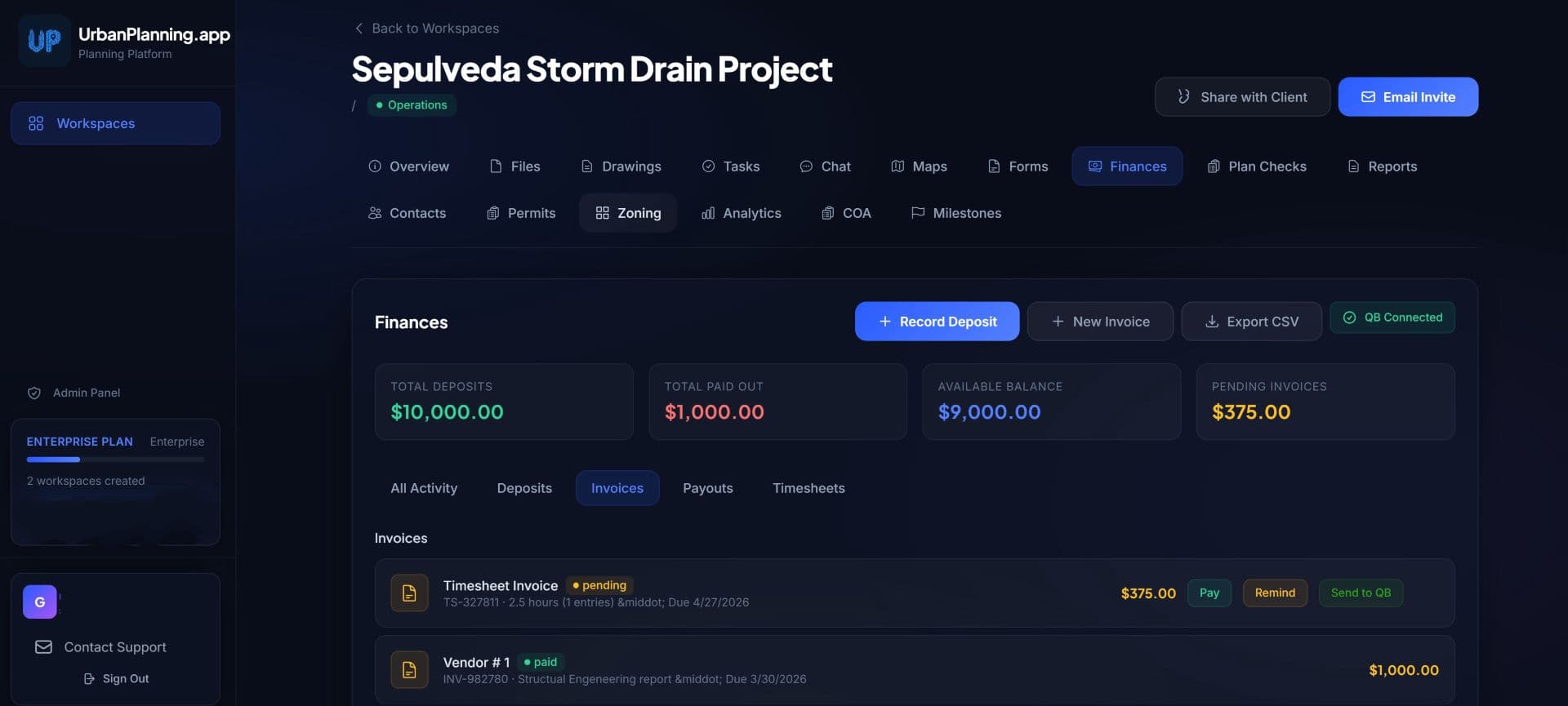
Generate invoices, collect fees online, track deposits, process payouts, and monitor balances in one financial dashboard.
Client Portal
Give applicants a branded self-service portal to submit documents, check status, respond to corrections, and pay fees.
Drawings & GIS Maps
Attach drawings to parcels, overlay zoning data, and visualize project density across your jurisdiction on an interactive map.
Enterprise-grade security, out of the box
Your project data is protected with the same standards used by government agencies and financial institutions.
Encrypted In Transit & At Rest
Role-Based Permissions
Full Audit Trail
99.9% Uptime SLA
Connects with tools you already use
Live in three steps
No IT department required. Get your agency running on UrbanPlanning.app in under an hour.
Create Your Workspace
Sign up, name your agency, and configure your workspace. Your instance is ready in seconds, no servers to manage.
Add Projects & Team
Import your existing projects via CSV or start fresh. Invite team members with role-based permissions in one click.
Track Everything in One Place
Your team, applicants, and stakeholders all see the same source of truth — updated in real time, accessible anywhere.
Built for real planning workflows
Every screen designed around how urban planners actually work — from task boards to plan check tracking.
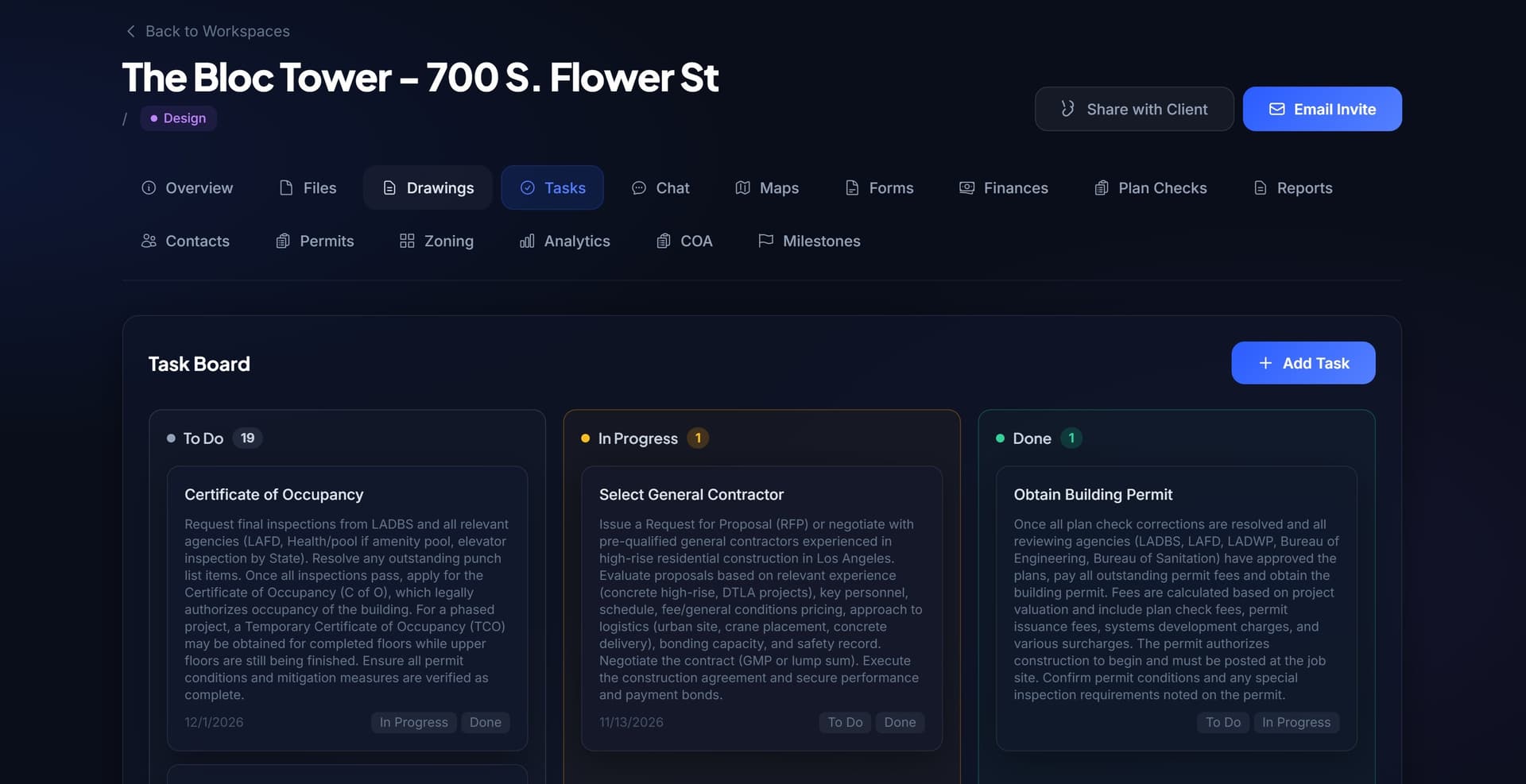
Task Management
See exactly what is due, who owns it, and what is blocking approval — across every project.
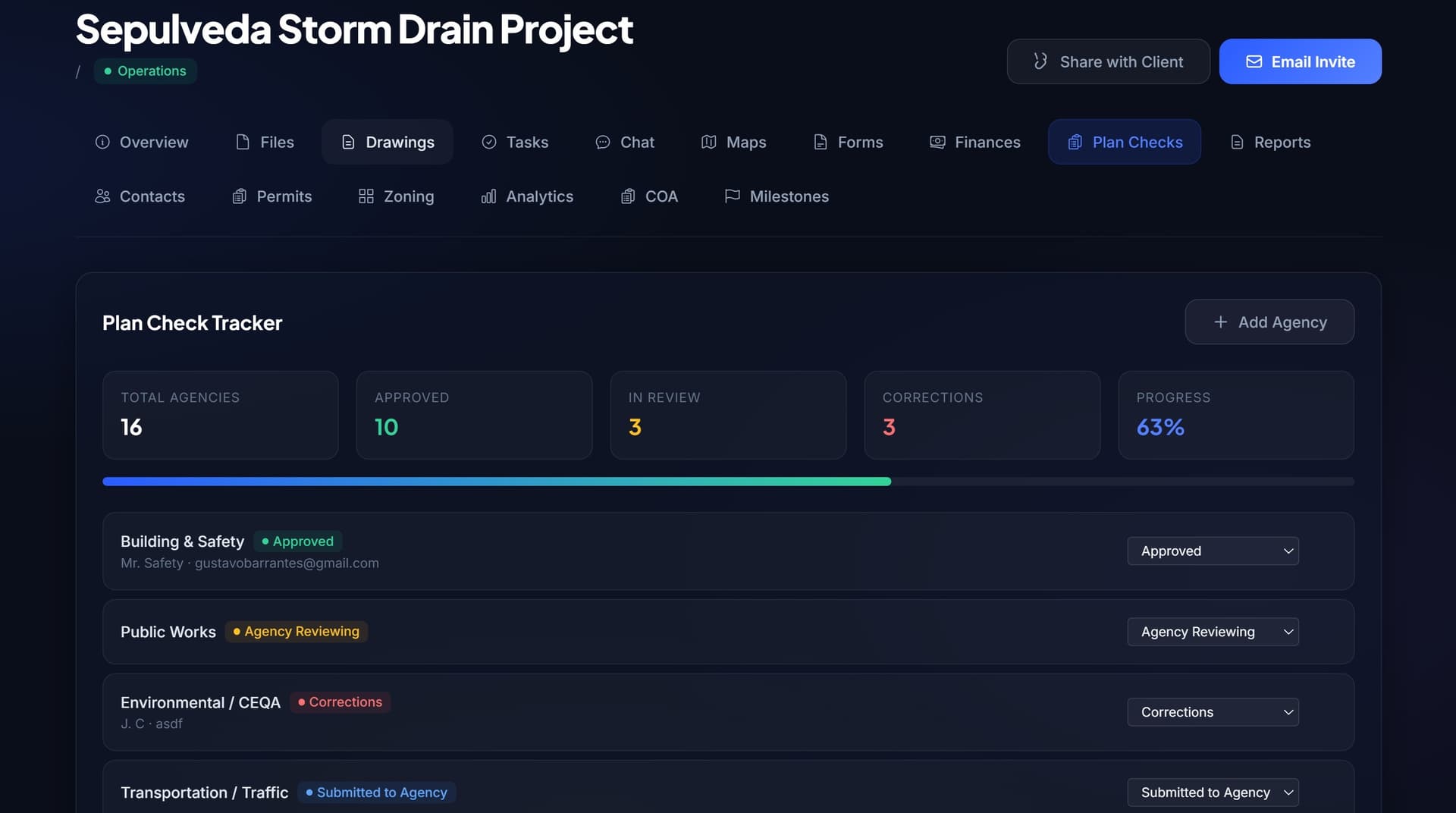
Plan Check Tracker
Track every agency review, correction round, resubmittal, and approval date in one view.
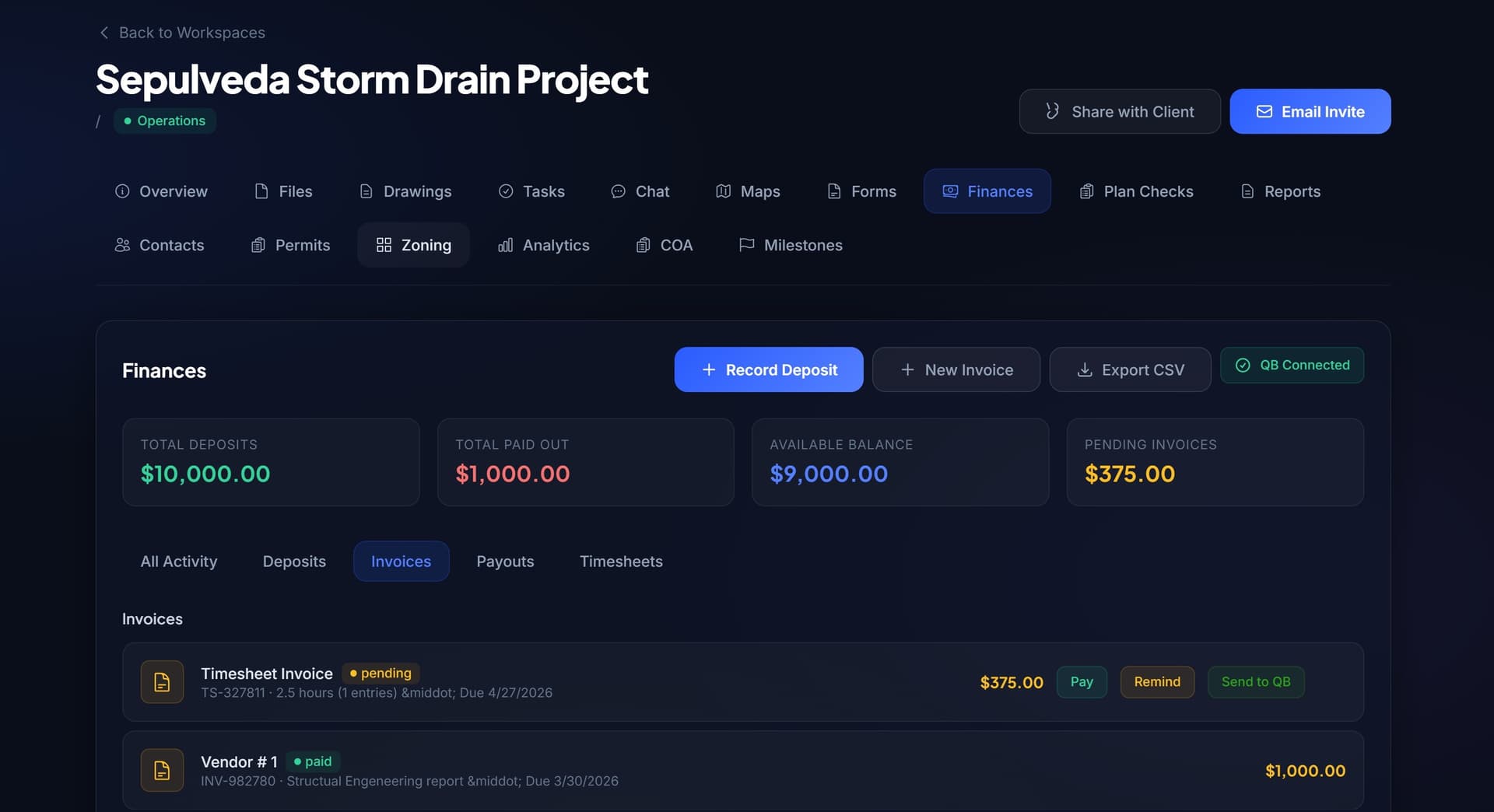
Invoicing & Finances
Know which projects are profitable, which invoices are unpaid, and what fees still need collecting.
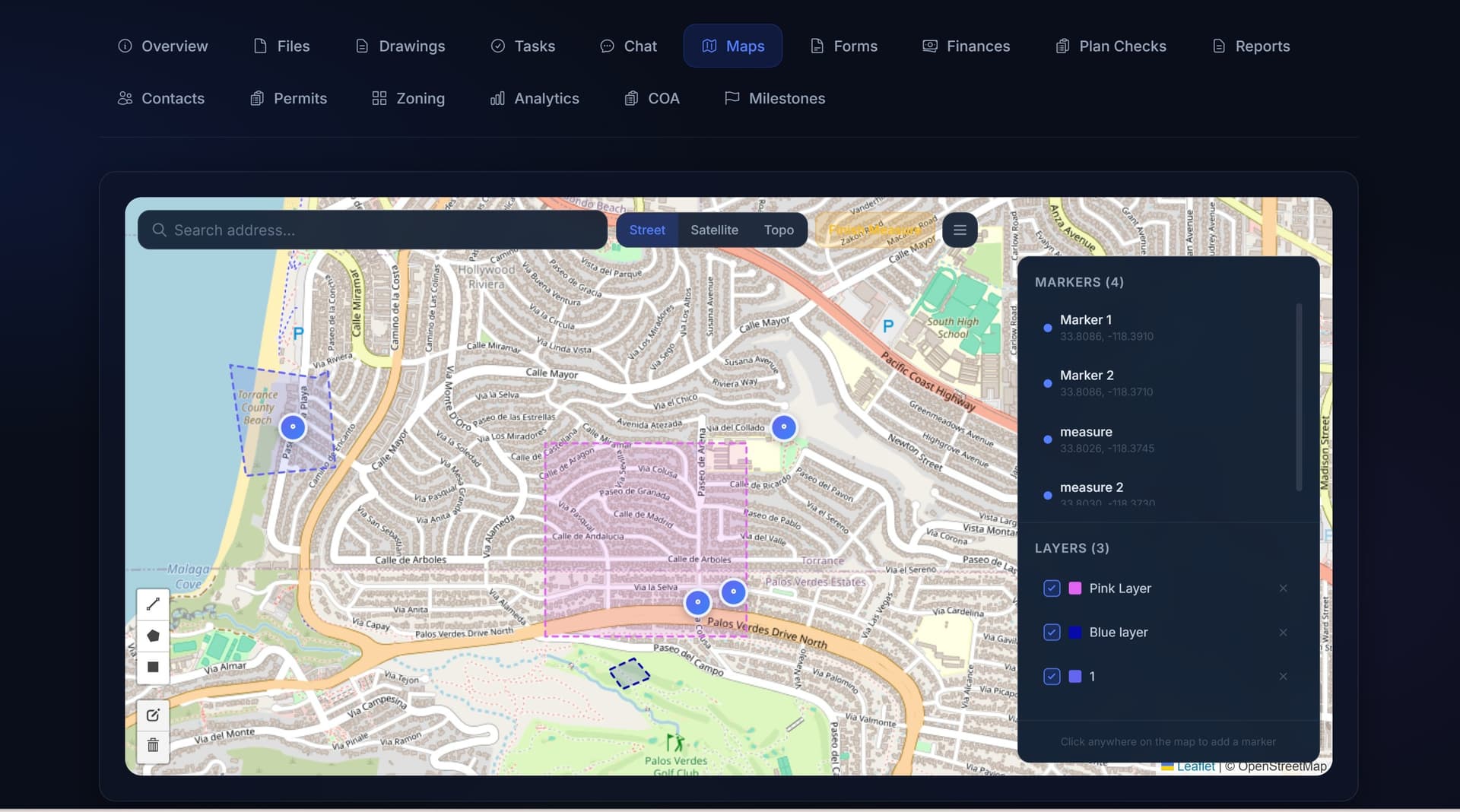
Interactive GIS Maps
See where every active project sits geographically and connect parcels, zoning, and drawings to the record.
Demo: Creating & Managing Tasks
See how quickly you can add tasks, assign team members, and track progress in real time.
Demo: Plan Check Tracking
Watch how to add agencies, update review statuses, and keep your team informed at every step.
Spreadsheets vs. UrbanPlanning.app
| Workflow | Spreadsheet | UrbanPlanning.app |
|---|---|---|
| Project status | Manually updated cells | Live project dashboard |
| Client updates | Email chains and phone calls | Self-service client portal |
| Plan checks | Notes in columns | Agency review tracker with status |
| Files | Scattered links and folders | Attached to each project |
| Invoices | Separate accounting tool | Connected to project progress |
| Accountability | Hard to track who did what | Assigned owners + audit trail |
Every planner we talked to
described the same problems
I have 12 active projects and track everything in spreadsheets, email, and my head.
One workspace per project. Files, tasks, chat, forms, finances, and contacts — all in one place.
Clients call asking for updates and I have to dig through folders to find the latest status.
Give clients their own portal. They see real-time progress without a single phone call.
I never know which agencies have approved the plans and which are still pending.
Plan Check Tracking shows every agency status at a glance — with notes and dates.
Simple pricing for every size team
Start Free Trial, scale when you're ready. Transparent pricing built for agencies of every size.
Billed monthly
Best for solo consultants managing a few active projects.
Billed monthly
Best for small planning firms and permit expeditors.
Billed monthly
Best for municipal teams and multi-person departments.
Billed monthly
Best for agencies needing unlimited projects, onboarding, and priority support.
Your free trial gives you 14 days of full access. Pick a plan when you're ready to continue. Talk to us.
Who is UrbanPlanning.app for?
Whether you are a solo consultant or a full municipal department, the platform adapts to your workflow.
Planning Consultants
Manage multiple client projects, deadlines, and deliverables without drowning in spreadsheets.
Municipal Departments
Coordinate across divisions, track permits jurisdiction-wide, and report to elected officials with real data.
Permit Expeditors
Track every agency submission, correction cycle, and approval date across dozens of concurrent applications.
Land-Use Attorneys
Stay on top of entitlements, zoning variances, and hearing schedules with automated alerts and document tracking.
Built for planning teams tired of disconnected tools
UrbanPlanning.app was created after watching planning teams manage complex permits, agency reviews, payments, files, and client communication across spreadsheets, email, and half a dozen disconnected tools.
We built the platform we wished existed: one workspace where everything lives together, clients can check their own status, and nothing falls through the cracks.
Frequently asked questions
Is there really a free trial?
Yes. Every plan includes a 14-day free trial with full access to all features. Your card won't be charged until day 15.
Can I cancel anytime?
Absolutely. There are no long-term contracts. Cancel from your account settings at any time and you won't be charged again.
Is my data secure?
Your data is encrypted in transit (TLS) and at rest. We use Supabase (built on PostgreSQL) with row-level security, role-based access controls, and daily automated backups.
How many team members can I add?
It depends on your plan. Starter supports 2, Professional supports 10, Department supports 25, and Enterprise is unlimited.
Can my clients see project updates?
Yes. The Client Portal gives your clients a branded, read-only view of milestones, permits, plan checks, and files. They can also upload documents and chat with your team.
Do you integrate with QuickBooks?
Yes. Connect your QuickBooks Online account to sync invoices, payments, and client records directly from the Finances tab.
What happens when my free trial ends?
After 14 days, your account switches to read-only mode. No data is deleted. You can upgrade to a paid plan at any time to restore full access.
Do you support multiple jurisdictions or departments?
Yes. Each workspace is independent, so you can manage projects across different jurisdictions, agencies, or departments from a single account.
Is there a mobile app or offline mode?
UrbanPlanning.app is fully responsive and works on any mobile browser. There is no native app or offline mode currently, but mobile access works great for field updates.
Who owns the data I upload?
You do. You retain full ownership of all content you upload. We never sell or share your data. You can export or delete your data at any time.
What kind of support do you offer?
Starter plans include email support. Professional plans get priority email. Department plans include phone support. Enterprise plans get a dedicated account manager and custom onboarding.
Ready to leave the
spreadsheet behind?
Join agencies already managing their planning pipeline with UrbanPlanning.app. Free to start, no commitment required.